Anonymous exam grading, privacy first
Teachers create exams in LaTeX, print booklets with pseudonym QR codes, and grade student submissions anonymously. All personal data, scans, and grades are encrypted directly in the browser (AES-256-GCM) — the server only ever sees ciphertext.
Requesting Beta Access
The beta instance is live at examance.de.
People who know me personally can request an account directly on the login page via the "Request an account" button.
Why Examance
Fair & Anonymous
QR pseudonyms hide student identities until grading ends, eliminating unconscious bias and halo effects.
Real Paper Exams
Students write by hand. Teachers grade on screen via one-pass batch scans or directly on paper with manual score entry.
Automated Assistance
Instant point sums (\BE), auto multiple-choice cross detection with teacher confirmation, and real-time grade distributions.
Zero-Knowledge Privacy
Client-side AES-256-GCM encryption built for German schools (DSGVO). Server administrators cannot read student names or marks.
Workflow: From Question Bank to Final Grades
1. Create: LaTeX Library & Exam Builder
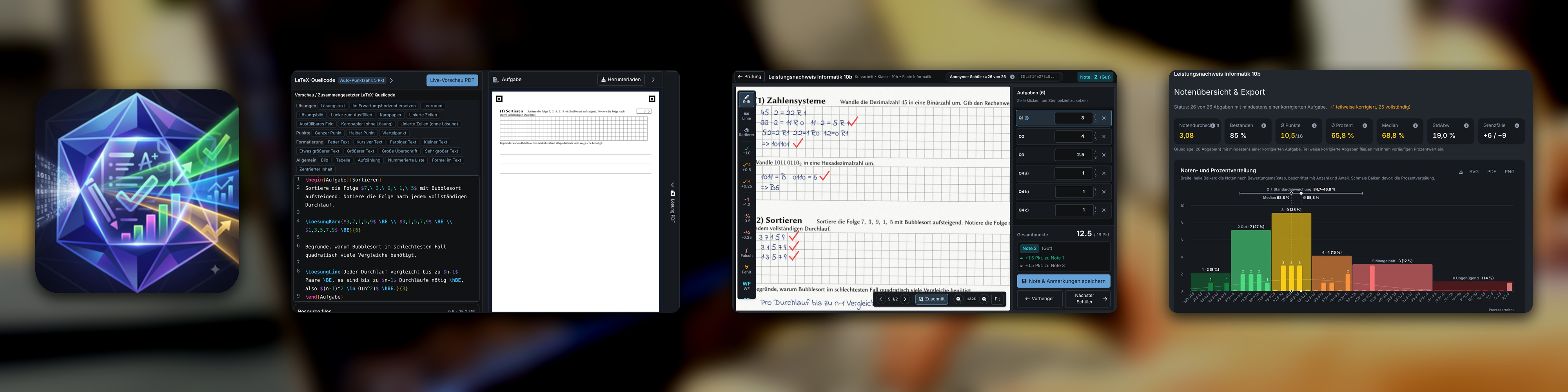
Write reusable exercises in LaTeX with live WebAssembly rendering. Total marks compute automatically from points declared in code. Generate matched student question papers and teacher marking schemes in seconds.
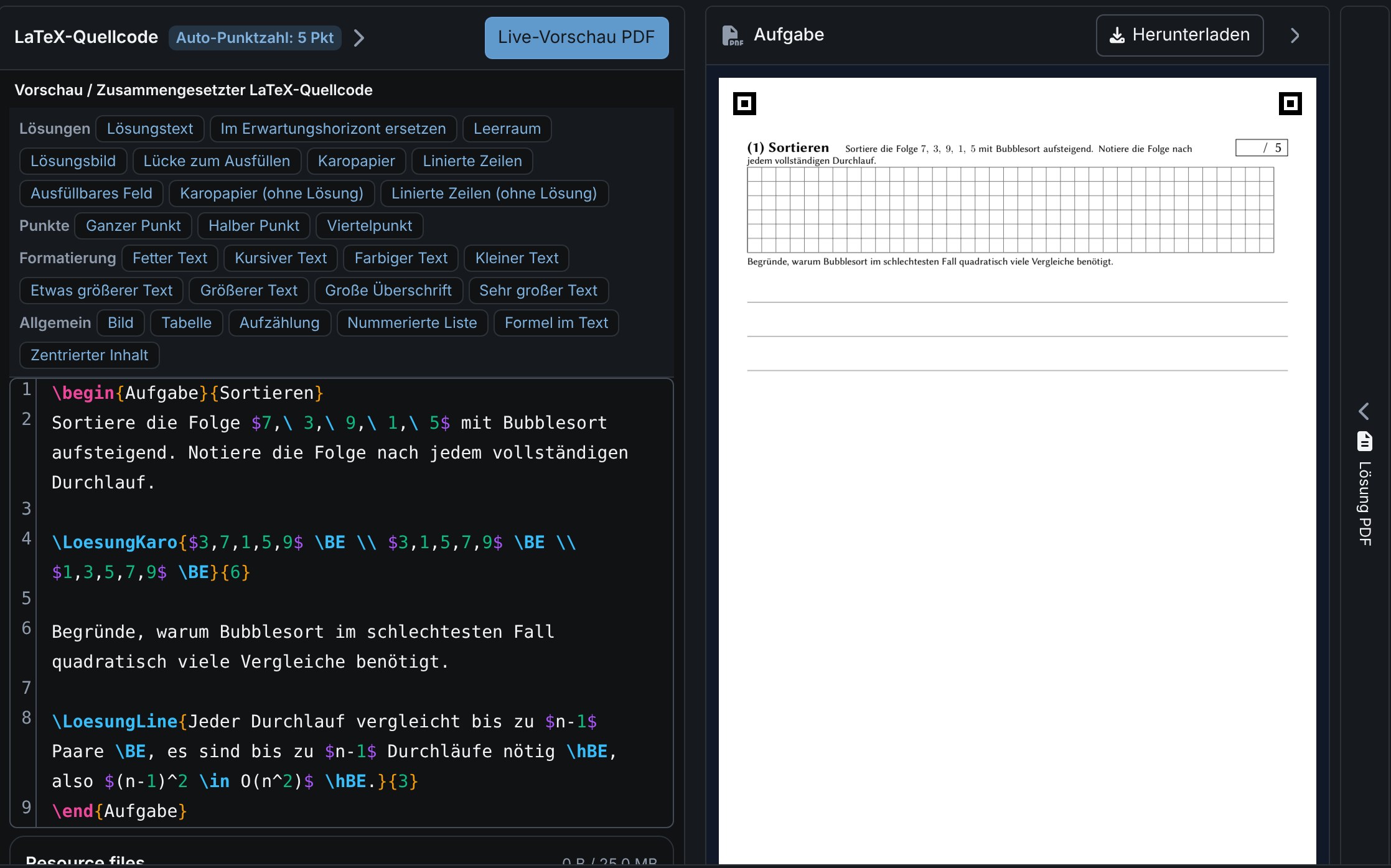
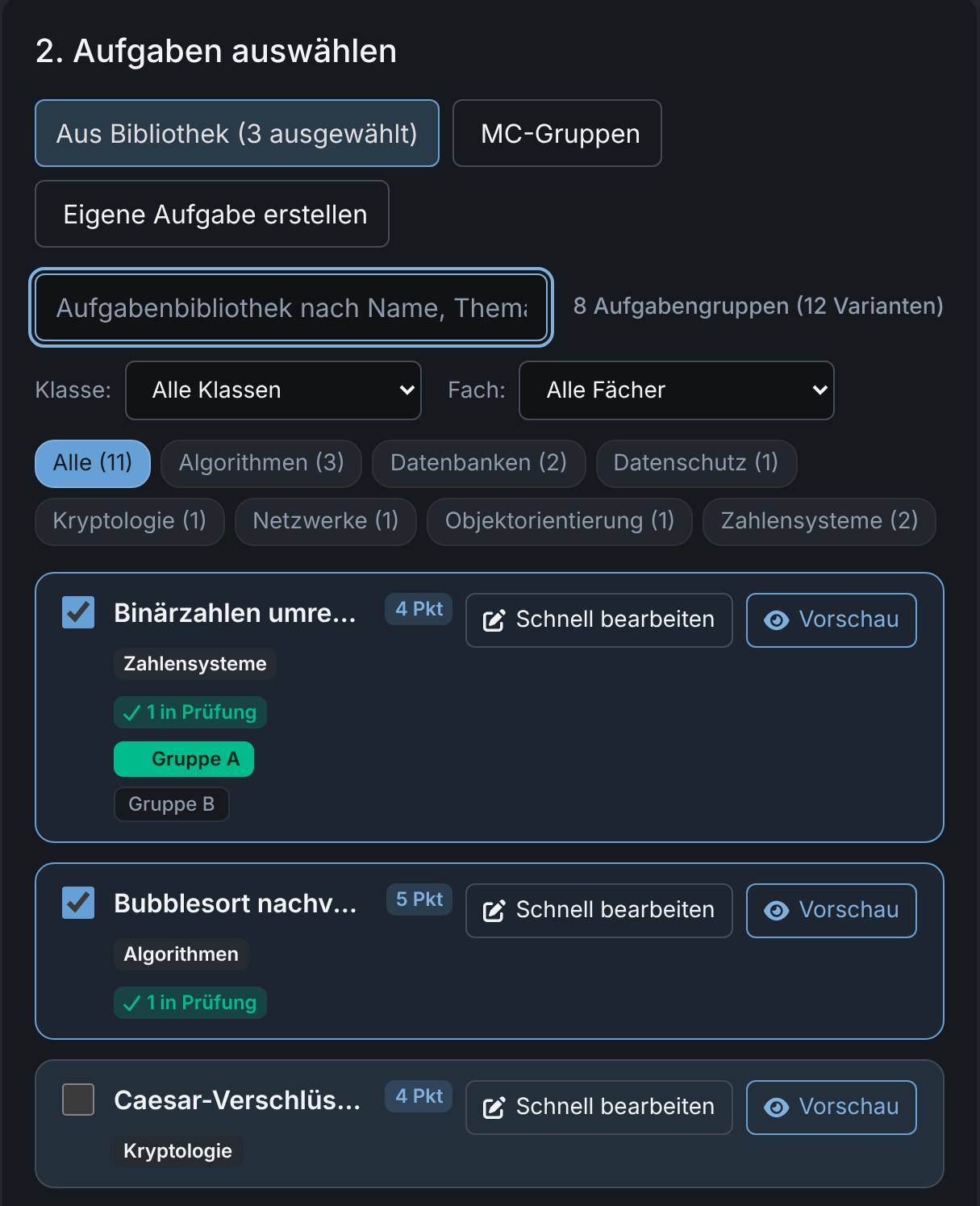
\BE). Right: Assemble full exams, select variants (A/B), and configure grading scales.- Modular exercise pool: department-wide sharing, versioned updates, and variant support (Group A/B).
- Flexible Multiple Choice: single- or multiple-select with configurable penalty rules (clamped at zero).
- Print-ready output: typesets student booklets, cover sheets, and marking rubrics simultaneously.
Interactive Showcase: One Source, Two Sheets
A single LaTeX source file generates both student answer booklets (lines, grids, fill-ins) and teacher solutions (sample answers, marking criteria).

2. Grade: QR Codes & Automated Detection
Students write exams on paper. The entire class stack is scanned into a single PDF, automatically split by QR pseudonyms, and presented for on-screen grading.
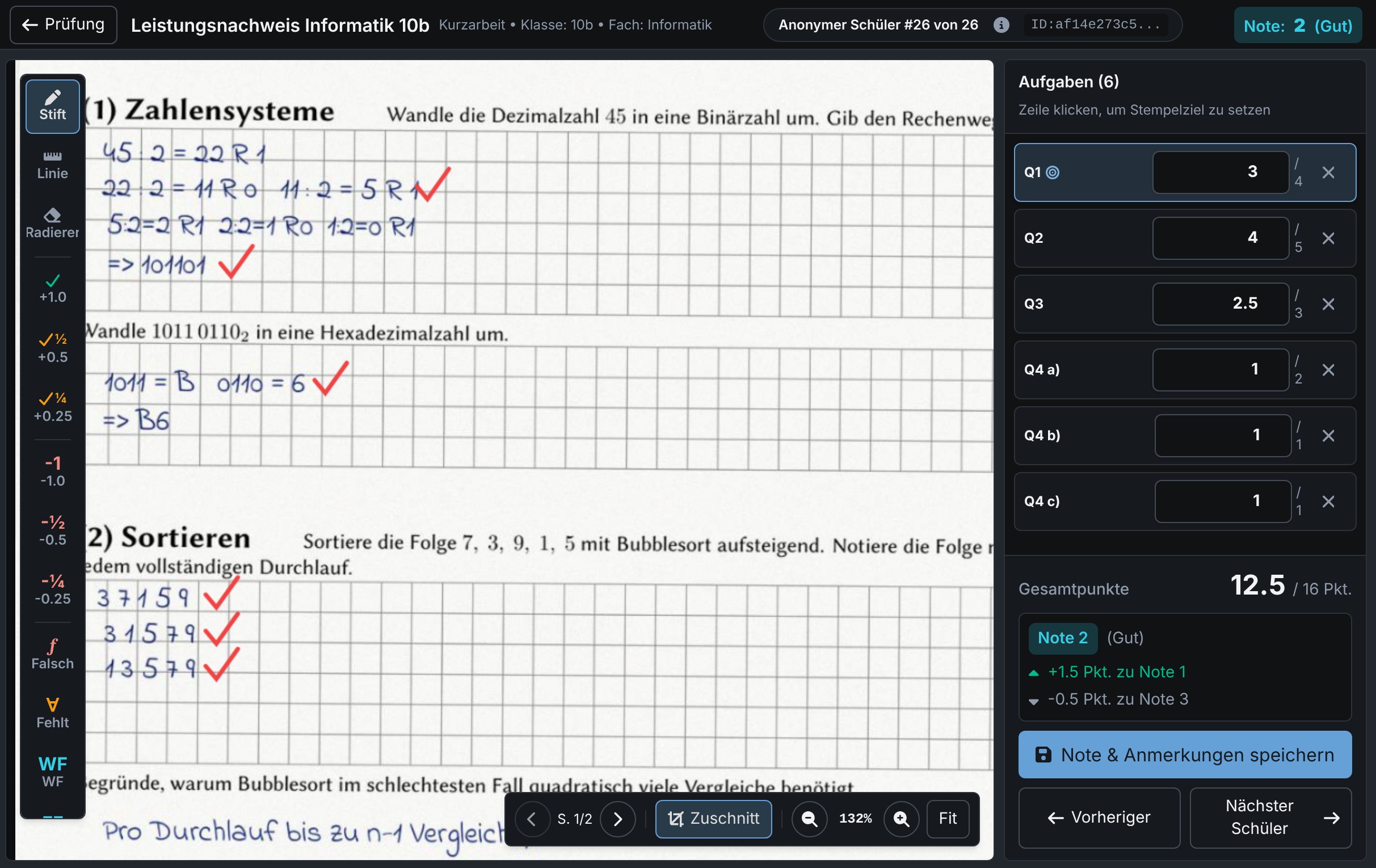
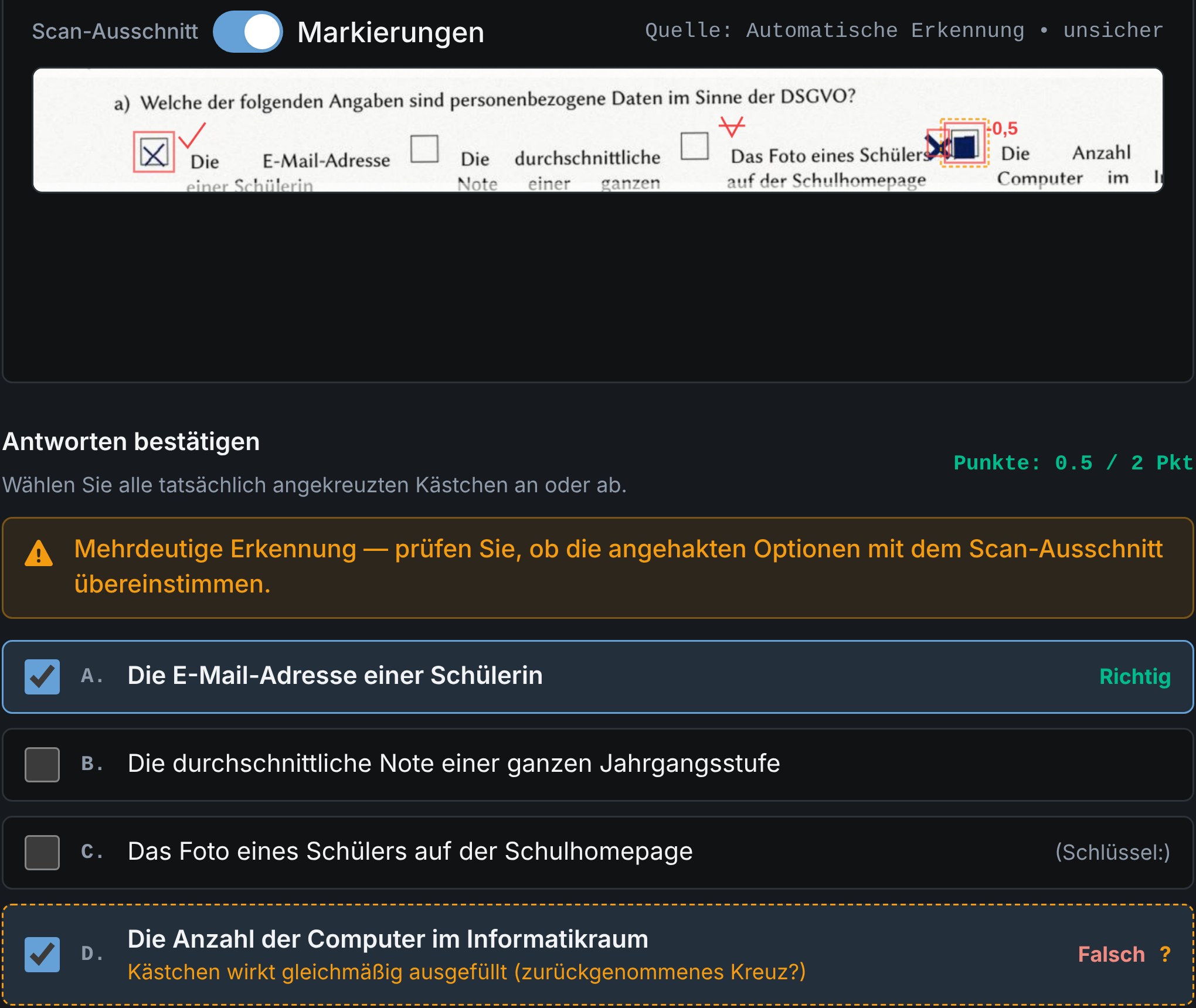
- One-pass scan import: automatically separates booklet pages and pairs them to pseudonym IDs; unreadable pages go to review.
- Smart tick-stamp grading: interactive digital stamps on student scans calculate total scores instantly.
- Human-in-the-loop MC: computer vision flags ambiguous, faint, or crossed-out marks for teacher confirmation.
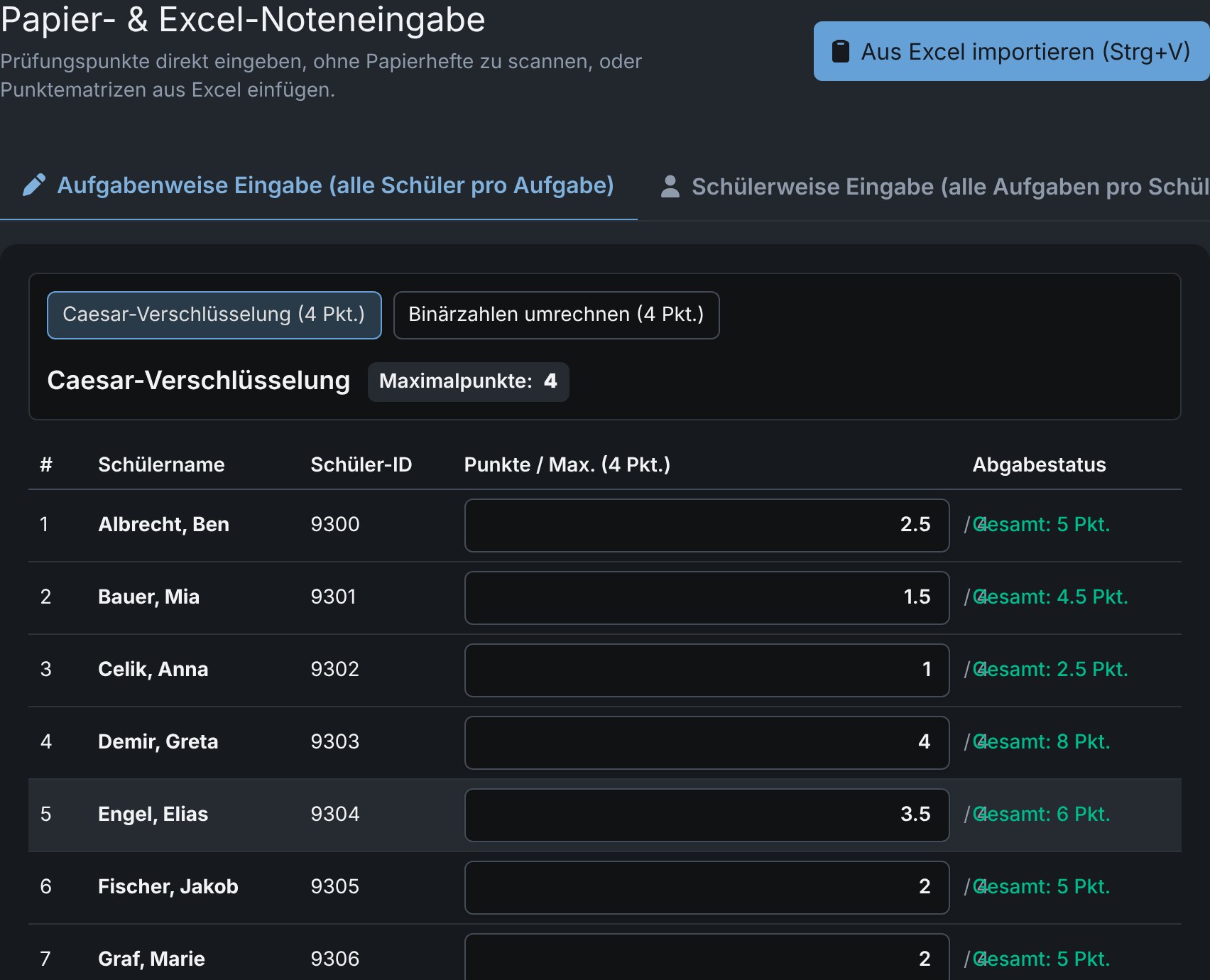
- Paper-only fallback: grade physical papers traditionally and input scores via quick keyboard entry or Excel paste (view paper entry).
3. Analyze: Real-Time Statistics & Difficulty Drift
Results appear immediately as grading progresses: grade distribution curves, class averages, and borderline candidates are computed on the fly.
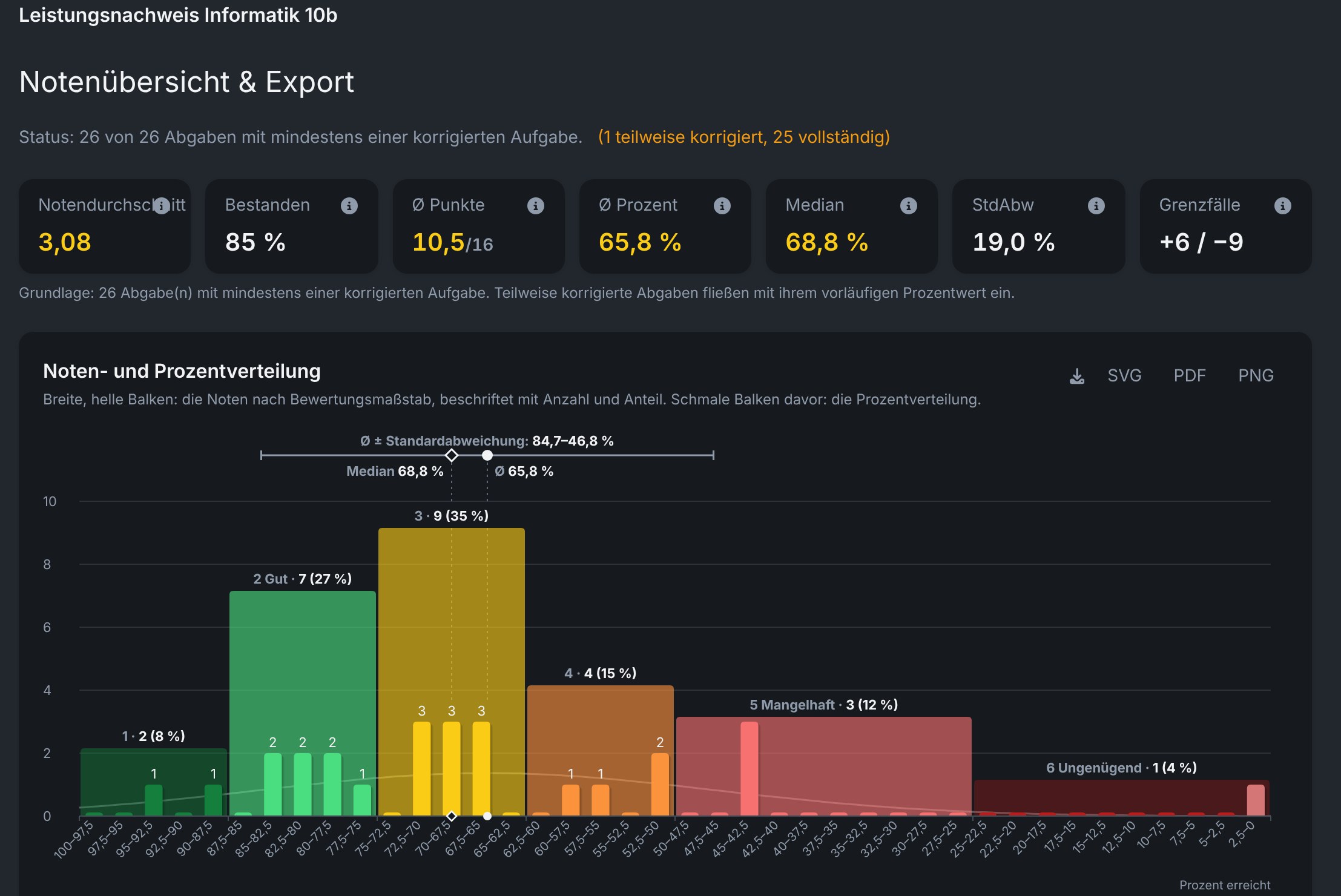
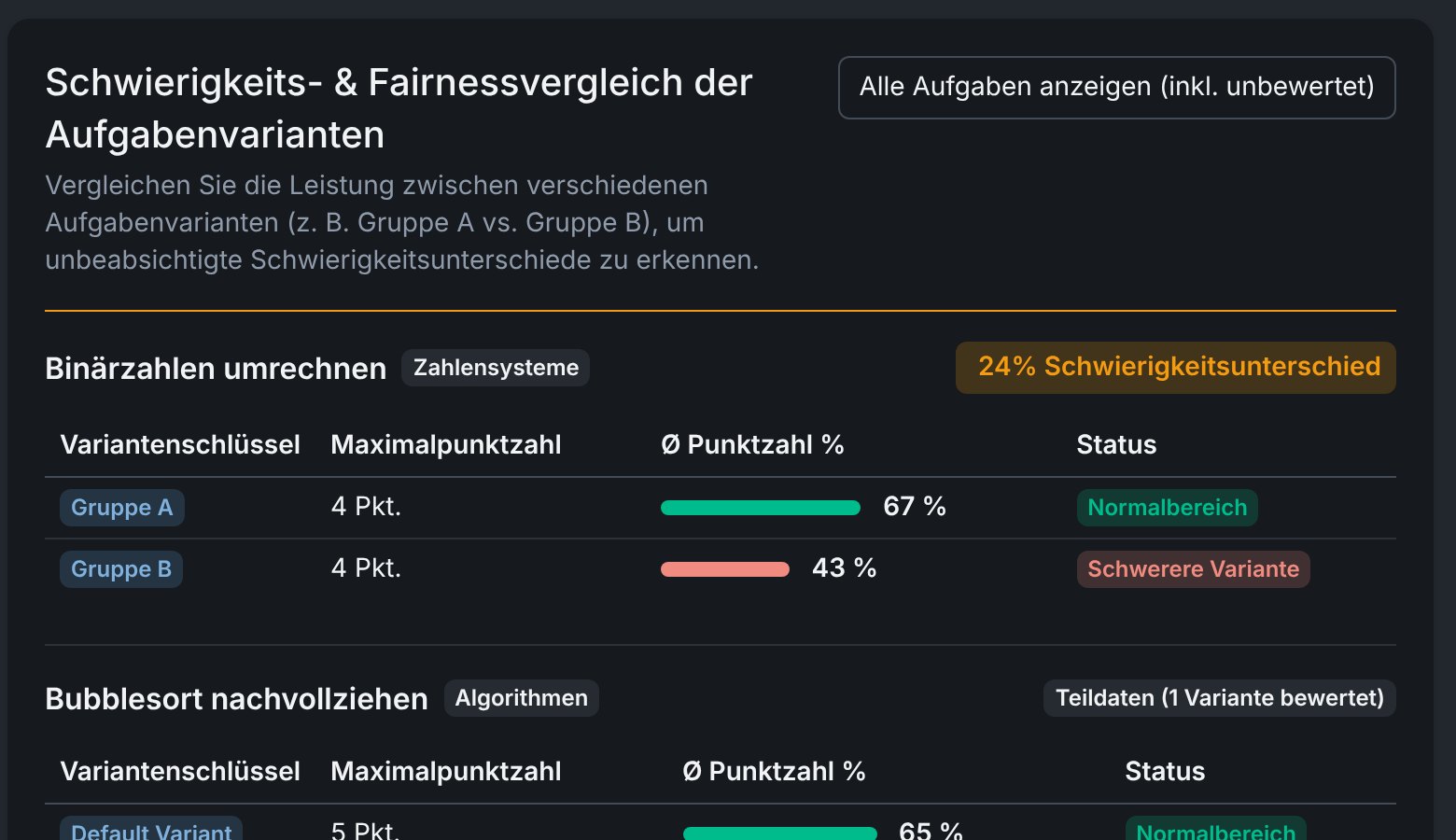
- Fairness checks: alerts teachers when Group A and B deviate significantly (≥15 percentage points).
- Longitudinal exercise tracking: historical exercise performance across cohorts to refine question difficulty.
- Encrypted export: export anonymized data or full encrypted grade archives into school spreadsheets.
Security & Privacy by Design
Built specifically around German public school compliance (DSGVO / GDPR).
Client-Side E2EE
Student names, scans, and grades are encrypted via AES-256-GCM in the browser before upload. Keys never leave the teacher's device.
Passkey & 2FA Auth
256-bit encryption keys unlocked via WebAuthn Passkeys or Argon2id passwords. Emergency recovery codes prevent accidental data loss.
Zero Server Knowledge
The backend stores only ciphertext blobs. Even root server admins cannot view exam grades, student identities, or scanned scripts.
School Control (DSGVO)
Self-hosted via Docker with provided compliance documentation (DPIA, processing agreements). No AI grading: teachers retain 100% evaluation control.