
Mirror a Linux desktop to an Apple TV or a Miracast projector
Many classrooms have an Apple TV or a Miracast dongle at the projector, but no easy way to cast from a Linux laptop. Doubletake streams the desktop, or a single window, to any AirPlay receiver, and to Miracast displays over Wi-Fi Direct. One app covers both.
Code at Github: ValentinHerrmann/doubletake-ui
A fork
This is a fork of omarroth/doubletake by Omar Roth. The AirPlay streaming itself is his work. My fork adds a graphical front end, so you do not need the command line, and Miracast support.
My contribution
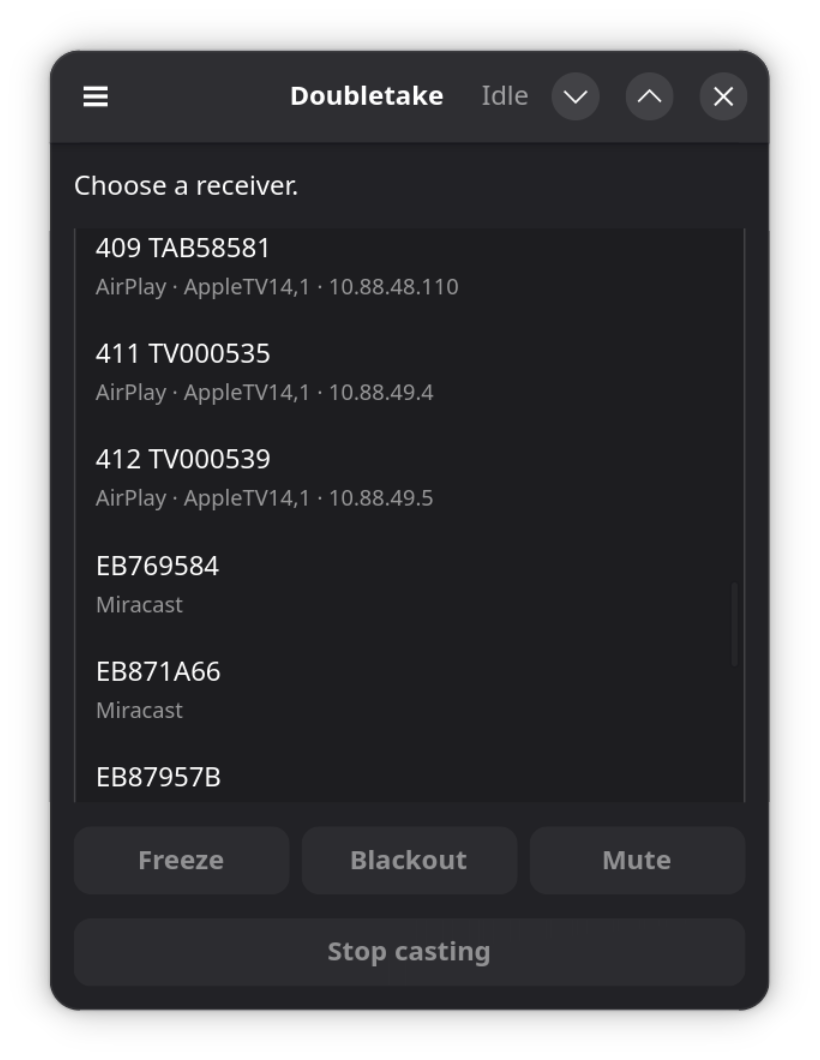
- Desktop app
doubletake-ui(GTK 4): lists the AirPlay receivers and Miracast displays nearby, asks for the PIN, starts and stops mirroring with one click. The list stays still while discovery runs, even on networks with many receivers. - Your desktop’s own sharing dialog picks a screen or a window on every connection. While connecting, the app shows the receiver and can cancel a wrong choice.
- Miracast (experimental, since v0.7.0): mirrors to Miracast TVs, projectors and dongles over Wi-Fi Direct, with sound, up to 1080p. No second app such as GNOME Network Displays needed.
- Freeze, Blackout and Mute while casting, for AirPlay and Miracast: keep the current picture or show black on the projector while you prepare the next thing.
- Sound like an HDMI display: while casting, a “Doubletake” output replaces the speakers and follows the system volume slider.
- System tray: the window hides to the tray once casting starts, and the tray menu shows the receiver and the casting controls. Quit stops casting. Optional start on login and keep screen awake while casting.
- One-line install, update and uninstall from the fork’s releases (no root needed).
Install
curl -fsSL https://raw.githubusercontent.com/ValentinHerrmann/doubletake-ui/main/scripts/install.sh | sh
Requires (not installed by the script): GStreamer 1.0 with the base, good, bad, ugly and libav plugins, PulseAudio utilities (pactl), PipeWire and xdg-desktop-portal (Wayland) or X11, and GTK 4.14 or newer. Miracast also needs a Wi-Fi card with P2P support and NetworkManager with the wpa_supplicant backend.
Arch: sudo pacman -S gstreamer gst-plugins-base gst-plugins-good gst-plugins-bad gst-plugins-ugly gst-libav libpulse gtk4
Ubuntu/Debian: sudo apt install gstreamer1.0-plugins-base gstreamer1.0-plugins-good gstreamer1.0-plugins-bad gstreamer1.0-plugins-ugly gstreamer1.0-libav pulseaudio-utils libgtk-4-1